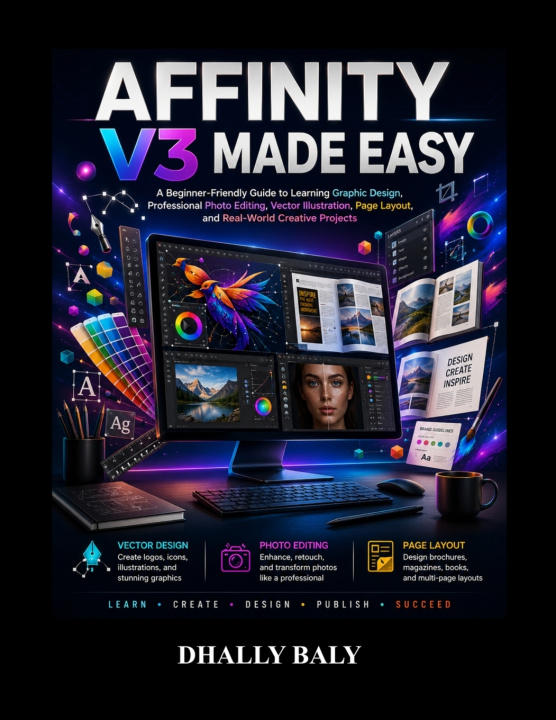
Here's a professional, Amazon KDP-optimized book description designed to improve discoverability while remaining natural and reader-focused.
Whether you're completely new to graphic design or ready to sharpen your creative skills,
Affinity V3 Made Easy is the practical, beginner-friendly guide that will help you confidently master one of today's most powerful professional creative software suites.
Instead of overwhelming you with technical jargon or assuming prior experience, this book walks you through real-world projects, hands-on exercises, and easy-to-follow workflows that teach you how professionals actually use Affinity Designer, Affinity Photo, and Affinity Publisher.
From creating stunning vector illustrations and editing professional-quality photographs to designing books, brochures, marketing materials, and social media graphics, you'll gain the confidence to turn your creative ideas into polished, professional designs.
Whether you're a student, entrepreneur, freelancer, content creator, small business owner, marketer, hobbyist, or aspiring graphic designer, this guide provides the practical knowledge you need to work smarter and create with confidence.
Inside This Comprehensive Affinity V3 Guide, You'll Learn How To:Install, configure, and customize Affinity V3 for maximum productivity
Understand the complete Affinity Suite, including Designer, Photo, and Publisher
Create professional documents for both print and digital media
Master vector illustration using shapes, curves, and the Pen Tool
Design logos, icons, business cards, and branding materials
Work confidently with typography, page layouts, and professional publishing tools
Edit and enhance photographs using non-destructive workflows
Remove backgrounds, retouch portraits, and improve image quality
Organize projects with layers, masks, adjustment layers, and live filters
Create brochures, magazines, books, reports, and multi-page publications
Design engaging social media graphics and marketing materials
Build a professional creative portfolio that showcases your skills
Export projects correctly for commercial printing, websites, and social media
Solve common problems, improve your workflow, and work more efficiently
Complete practical real-world creative projects from start to finish
Unlike many software manuals that simply explain where buttons are located, this guide focuses on how to use Affinity V3 in real creative situations. Every chapter is written in a clear, practical style that helps you understand not only what each tool does but also when and why to use it.
By following the structured lessons and project-based approach, you'll develop the confidence to create professional-quality designs while building skills that can be applied to freelance work, business branding, digital marketing, publishing, photography, and creative content production.
Whether your goal is to design eye-catching graphics, edit stunning photos, publish professional documents, grow your business, launch a creative career, or simply explore your artistic side, Affinity V3 Made Easy provides the knowledge and practical guidance to help you succeed.
Your creative journey starts today. Open Affinity V3, follow along step by step, and discover how enjoyable professional design can be.